How to Identify a Song Playing in a YouTube Video or Short
You’re watching a YouTube video or scrolling through YouTube Shorts when a song suddenly catches your attention. The beat is perfect, the vibe is strong, and you immediately want to know what it is.
The problem is simple: the video doesn’t tell you the song name. There’s no credit in the description, and the comments are either empty or not helpful.
This is a very common situation on YouTube. Millions of videos use background music, but not all of them clearly mention the track. The good news is that there are several reliable ways to identify almost any song playing in a YouTube video or Short.
You don’t need to guess randomly or replay the video again and again. With the right methods, you can quickly find the exact song in seconds or minutes.
Here are the best ways to identify songs from YouTube videos and Shorts.
1. Check YouTube’s built-in music and description
The first and easiest step is to check YouTube itself.
Many creators include music information in the video description or pinned comments. If the song is officially licensed, YouTube may also show the track name automatically.
On YouTube Shorts, sometimes the sound name appears at the bottom of the screen. Tapping it can take you directly to the audio page, where you can see the song title and other videos using the same sound.
This method works best when the creator has used officially registered music. If the song is properly tagged, you can find it instantly without using any external tool.
However, if the music is not credited, you will need other methods.
2. Use music recognition apps
When YouTube does not show the song name, music recognition apps become your best option.
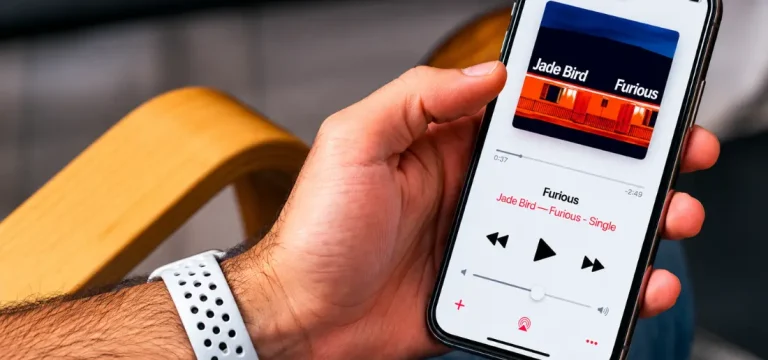
Tools like Shazam, SoundHound, and Google Song Search can listen to the audio from the video and identify the song in seconds.
Simply play the YouTube video on your device and open a recognition app on another device, or let the app listen directly if possible.
Shazam is fast and works well for popular songs with clear audio. SoundHound is useful when the music is slightly unclear or mixed with voiceovers. Google’s tools can also help when you only recognize part of the melody.
If one app fails, try another. Each tool uses a different music database, so results can vary.
3. Search using lyrics, comments, and online communities
If recognition tools don’t work, you can still find the song using clues.
Start by listening carefully to the video and trying to catch any lyrics. Even a few words can help you search on Google or lyric websites like Genius or Musixmatch.
You should also check the comments section. In many cases, other viewers have already asked about the song, and someone may have answered.
If that doesn’t help, online communities can solve even difficult cases.
Platforms like Reddit (especially r/NameThatSong and r/tipofmytongue) are very effective for identifying unknown music. You can share the video link or describe the sound, and users often respond quickly with accurate results.
These communities are especially helpful for remixes, slowed versions, and background music that apps cannot easily detect.
What to keep in mind
Not every YouTube video will make song identification easy. Background noise, voiceovers, and edited audio can make recognition harder.
If one method doesn’t work, don’t stop there. Try combining multiple approaches instead of relying on just one tool.
A song that Shazam cannot identify might still be found through comments or online communities.
With a little patience, most songs can eventually be tracked down.
To recap, the best ways to identify a song from a YouTube video or Short are checking YouTube’s built-in audio information, using music recognition apps, and searching through lyrics or online communities. By combining these methods, you can quickly discover almost any mystery song and save it to your playlist.